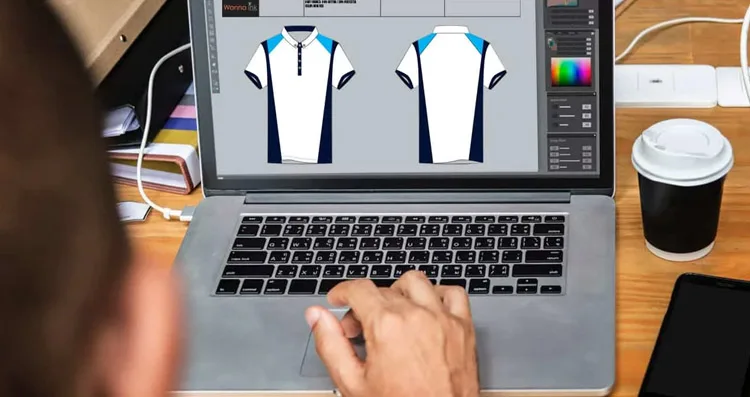
The Ultimate Guide to Designing Your Own Printable Shirts
Introduction
There’s something uniquely satisfying about wearing a shirt that represents your personality, passion, or brand. With the rise of online design tools and accessible printing techniques, designing your own printable shirts has never been easier. Whether you’re creating custom apparel for your small business, a special event, or just for fun, the process can be exciting, and highly rewarding.
In this guide, we’ll walk you through everything you need to know about designing printable shirts. From brainstorming ideas and choosing the right materials to selecting printing methods and finalizing your design, this article covers it all. By the end, you’ll have the knowledge to create professional-looking shirts that are comfortable, durable, and visually striking.
H1: Why Designing Your Own Printable Shirts Matters
H2: Express Your Creativity
One of the biggest advantages of designing your own printable shirts is the freedom to express yourself. You can choose the colors, fonts, images, and messages that perfectly reflect your personality or brand. Unlike off-the-shelf shirts, custom designs allow you to make a statement that’s entirely your own.
Build Your Brand or Team Identity
For small businesses, organizations, or sports teams, printable shirts are an effective way to create unity and brand recognition. A consistent logo, color scheme, or slogan across your apparel instantly communicates professionalism and strengthens your identity in the eyes of customers, fans, or team members.
Create Meaningful Gifts or Merchandise
Custom shirts make excellent gifts or merchandise. Whether it’s for a birthday, a special event, or a fundraiser, personalized shirts are thoughtful, memorable, and often cherished by recipients. They go beyond ordinary gifts because they carry a personal touch that mass-produced items cannot match.
Planning Your Printable Shirt Design
Understand Your Purpose
Before starting your design, clarify why you’re creating the shirt. Ask yourself:
- Is this for personal use, a business, or an event?
- Who will wear the shirt?
- What message or feeling should the design convey?
Answering these questions helps shape the design process and ensures the final product meets your goals.
Choose Your Shirt Style and Material
The type of shirt you select affects both the printing process and the final look. Popular options include:
- Cotton shirts: Soft, comfortable, and ideal for most printing methods.
- Polyester shirts: Great for vibrant colors, often used for sports or performance shirts.
- Blends: A mix of cotton and polyester that balances comfort with color retention.
Also, consider shirt style: t-shirts, long-sleeve tees, hoodies, or tank tops. The style should align with the intended purpose and audience.
Define Your Color Palette
Colors evoke emotions and play a critical role in design. Choose a palette that matches your brand, theme, or personal taste. High-contrast designs are easier to read from a distance, while complementary colors create a cohesive, professional look.
Designing Your Printable Shirt
Brainstorming Your Ideas
Start with rough sketches or notes about your design. Think about the message, graphics, and style you want. Consider:
- Minimalist or bold designs?
- Text-heavy or image-focused?
- Incorporating logos or personal illustrations?
Brainstorming ensures you have a clear vision before moving on to digital design tools.
Choose the Right Software or Tool
Several tools are available for designing printable shirts, depending on your skill level:
- Beginner-friendly: Canva, Placeit, or online t-shirt makers.
- Advanced: Adobe Illustrator, Photoshop, or CorelDRAW for professional-grade designs.
- Free tools: GIMP or Inkscape for budget-friendly options.
Choose a tool that suits your comfort level and allows you to export high-resolution files for printing.
read more : How to Pick the Right SASE Partner
Create Eye-Catching Graphics
Graphics are often the first thing people notice on a shirt. Make sure your images are:
- High resolution: Avoid pixelated or blurry graphics.
- Scalable: Use vector images if possible to maintain quality at any size.
- Visually balanced: Ensure the design isn’t too crowded or off-center.
Consider adding unique elements like icons, patterns, or illustrations to make your shirt stand out.
H2: Choose Fonts Carefully
Text on shirts must be legible and aligned with your design style. Tips for effective typography:
- Use bold fonts for important messages.
- Stick to 2–3 fonts maximum to maintain cohesion.
- Test readability on different shirt colors.
Creative text layouts, such as curved or diagonal text, can also add visual interest.
Selecting the Right Printing Method
Screen Printing
Screen printing is ideal for bulk orders and durable designs. Ink is applied layer by layer, producing vibrant, long-lasting prints. Best for simple designs with few colors.
Direct-to-Garment (DTG) Printing
DTG printing works like a regular printer but directly prints onto the fabric. Ideal for complex, colorful designs or small batches. Provides a soft feel and detailed results.
Heat Transfer Printing
Heat transfer uses heat to transfer a printed image onto fabric. It’s affordable and versatile, suitable for small batches or custom gifts. However, it may not last as long as screen printing or DTG.
Sublimation Printing
Sublimation is perfect for polyester shirts. The ink becomes part of the fabric, creating vibrant, fade-resistant designs. Best for all-over prints or full-color graphics.
Tips for a Successful Printable Shirt Design
Keep Designs Simple and Focused
Avoid overcrowding your shirt with too many elements. A clear, focused design is visually appealing and easier to print.
Consider Shirt Color
Your design should contrast with the shirt color to ensure visibility. Light designs work best on dark shirts and vice versa.
Plan for Placement
Decide whether your design will go on the front, back, sleeves, or all over. Centralized designs are traditional, while pocket-sized or sleeve prints add subtlety.
Test Before Printing
Always create a mockup or print a sample shirt to check colors, alignment, and sizing. This step saves you from costly mistakes before a full batch is produced.
Creative Ideas for Printable Shirt Designs
H2: Personal Expression
Use your favorite quotes, hobbies, or custom illustrations to reflect your personality.
Events and Milestones
Commemorate birthdays, weddings, or reunions with custom designs that everyone can wear.
Business Branding
Add your logo, slogan, or mascot for marketing purposes, staff uniforms, or giveaways.
Causes and Advocacy
Show support for social causes, awareness campaigns, or community events with meaningful designs.
Final Steps Before Printing
Review Design Specifications
Ensure your file meets printing requirements: correct resolution, color mode (CMYK for most printers), and proper sizing.
Choose a Reliable Printer
Whether local or online, select a printer with positive reviews and sample work. A good printer ensures color accuracy, durability, and timely delivery.
Order a Sample
A single test shirt allows you to verify colors, placement, and quality. Adjust your design if needed before mass production.
Conclusion
Designing your own printable shirts is both an art and a strategic process. From brainstorming ideas to choosing the right printing method, every step impacts the final product. Whether you’re expressing your creativity, promoting your business, or creating memorable gifts, custom shirts provide a versatile and impactful solution.
By following this ultimate guide, you can create shirts that are visually striking, comfortable to wear, and professionally printed. The result? A unique wearable statement that showcases your style, message, or brand, every time someone wears it.