
How To Stop Mobile Phishing
Key Takeaways
- Mobile phishing can arrive through text messages, calls, email, QR codes, and chat apps.
- Urgency, familiar branding, and impersonation are designed to make people act before checking.
- Phone security settings, multi-factor authentication, and password managers reduce risk, but they do not replace careful verification.
- Remote teams need clear reporting rules that employees can follow quickly from any location.
- Fast reporting after a suspicious tap can limit account, financial, and business-data exposure.
Why Mobile Phishing Deserves More Attention
Phones are now used for work email, cloud documents, password resets, payment approvals, customer conversations, and workplace chat. That convenience also makes the phone an attractive target. A practical mobile threat management approach helps organizations protect business activity on the devices employees carry everywhere.
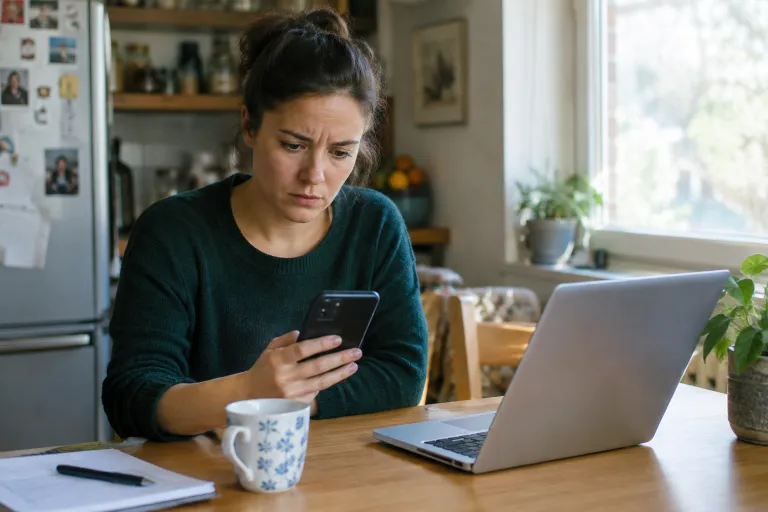
Mobile screens can make phishing harder to spot. A shortened link may hide its destination, a notification may show only part of a sender address, and a rushed employee may approve a login prompt while moving between meetings. Remote and hybrid workers also may not have a colleague or IT professional nearby to sanity-check an unusual request.
Consider a common example. An employee receives a text that appears to be from payroll and says direct-deposit information must be verified immediately. The link opens a page that resembles the company sign-in portal. If the employee enters credentials, the attacker may try to access the real account before the mistake is noticed.
Mobile phishing succeeds less because people are careless and more because messages are built to exploit normal work habits. The safest response is a repeatable one: pause, inspect the request, confirm it through a separate trusted channel, and report anything suspicious.
How Mobile Phishing Works
Phishing is a form of social engineering in which an attacker impersonates a trusted person or organization to obtain information or persuade someone to take an unsafe action. The warning signs of spoofing and phishing include unexpected messages, deceptive links, and requests for sensitive information.
- Smishing: Fraudulent text messages that use a link, callback number, delivery notice, payment alert, or account warning to create urgency.
- Vishing: Scam calls or voice messages from someone claiming to be IT support, a bank, a carrier, or an executive.
- QR phishing: A malicious QR code that directs a phone browser to a fake sign-in page or unsafe download.
- Chat phishing: A message sent through a workplace collaboration tool, social network, or messaging app by an impersonated colleague or compromised account.
- Account-recovery scams: Fake alerts that ask a user to reset a password, share a verification code, or approve a sign-in request they did not initiate.
The Warning Signs To Check Before Tapping
- Pause when emotion is doing the work. Fear, urgency, secrecy, rewards, and threats are common pressure tactics.
- Inspect the sender. Check the phone number, email address, username, and display name. A familiar name does not prove the message is legitimate.
- Question the destination. Be wary of shortened links, misspellings, added words, and domains that do not match the organization making the request.
- Protect secrets. Legitimate support teams should not need your password, recovery code, banking information, or a one-time verification code sent to your device.
- Verify independently. Open the official app, type the known website into a browser, or call the known number rather than using the contact details in the message.
Simple Phone Settings That Reduce Risk
Good mobile security starts with controls that are easy to maintain. Install operating system and app updates promptly, use a strong screen lock, and enable biometric unlocking when available and appropriate. Review app permissions regularly, remove apps that no longer have a clear purpose, and keep business files in approved work apps and storage locations.
Use unique passwords stored in a password manager rather than reusing a password across services. Enable multi-factor authentication for business accounts, especially email, identity platforms, finance tools, and administrative systems. Multi-factor authentication is valuable, but users should never approve an unexpected sign-in prompt. Where supported, phishing-resistant methods offer stronger protection because they are designed to reduce the risk of entering authentication information into an impostor site. Phishing-resistant authentication guidance explains why manually entered codes are not considered phishing-resistant.
Rules For Safer Remote Work
- Do not approve login prompts that you did not initiate yourself.
- Do not send work passwords, recovery codes, or authentication codes through text or chat.
- Do not install an app because an unsolicited caller or message claims it is required for support.
- Use approved communication tools when discussing sensitive business information.
- Report suspicious texts, calls, QR codes, and links even if no one clicked them.
- Make rapid reporting the expected behavior, not something employees fear will lead to punishment.
What IT Teams Should Put In Place
- Create a short, readable, mobile-acceptable-use policy that explains what employees may access and where they can get help.
- Specify which devices, operating system versions, and apps can connect to business accounts.
- Require screen locks, encryption where supported, current updates, and multi-factor authentication.
- Use device-management tools for company-owned phones and establish privacy boundaries before enrolling personal devices in a BYOD program.
- Provide a fast reporting path, such as a monitored email address, a help desk number, or a chat channel.
- Review reports for repeated campaigns, impersonated executives, and commonly targeted departments.
- Practice the response process with short scenarios so employees know exactly whom to contact.
What To Do After A Suspicious Tap
A tap does not always mean a device has been compromised, but it should trigger prompt action. Close the page and do not provide additional information. If malware, an unsafe download, or unauthorized access is suspected, disconnect the phone from Wi-Fi and cellular data, if practical, and then contact IT or security immediately.
- Change any exposed passwords on trusted devices, and change other accounts that used the same password.
- Revoke unfamiliar sessions, connected apps, and authentication tokens where the affected service allows it.
- Preserve screenshots of the message, caller information, and the fake webpage if safe to do so.
- Contact the bank, carrier, or service provider promptly if financial details, mobile account information, or payment approvals were involved.
- Follow the organization’s incident-reporting process so the security team can protect other users from the same campaign.
Mobile Phishing Trends To Watch In 2026
Attackers continue to combine familiar tactics rather than relying on one channel. A text may direct a target to call a number, a caller may send a follow-up chat message, or a QR code may lead to a fake sign-in page. Messages can also be more polished and personalized than older phishing attempts, making spelling mistakes a less reliable warning sign.
Employees should be particularly cautious of unexpected help-desk outreach, requests to enroll a new authentication method, QR codes on invoices or shipping notices, and messages that ask them to move a conversation from one channel to another. Personal phones deserve the same attention as managed work devices when they can access business accounts.
Common Questions About Mobile Phishing
Can a text message install malware?
Many phishing texts attempt to steal credentials through fake websites. Others try to persuade users to download an app, change device settings, or grant permissions. The risk depends on the device, software, app permissions, and actions taken after the message arrives.
Is a message safe if it uses the company logo?
No. Logos, names, colors, and writing styles can be copied. Check the sender, destination, and request itself before acting.
Does multi-factor authentication stop every phishing attack?
No. It can reduce account takeover risk, but criminals may still attempt to capture passwords, steal session information, or pressure users into approving fraudulent prompts. Stronger phishing-resistant options can provide additional protection.
Should employees use personal phones for work?
A BYOD program can work when it has clear consent, limited business-data access, device requirements, privacy boundaries, and a reliable way to remove business data when access ends.
Conclusion
Visit this website: Exploring the Latest AI-Driven Test Tools
Mobile phishing blends into everyday work because it arrives through the same tools people rely on to get things done. The goal is not constant suspicion. It is a consistent habit: pause, check, verify, and report. When employees and IT teams share that process, one careful moment can prevent a much larger security incident.